sábado, 6 de junho de 2020

The RastaLabs Experience

Introduction


It was 20 November, and I was just starting to wonder what I would do during the next month. I had already left my previous job, and the new one would only start in January. Playing with PS4 all month might sound fun for some people, but I knew I would get bored quickly.

Even though I have some limited red teaming experience, I always felt that I wanted to explore the excitement of getting Domain Admin – again. I got my first DA in ˜2010 using pass-the-hash, but that was a loooong time ago, and things change quickly.
While reading the backlogs of one of the many Slack rooms, I noticed that certain chat rooms were praising RastaLabs. Looking at the lab description, I felt "this is it, this is exactly what I need." How hard could it be, I have a whole month ahead of me, surely I will finish it before Christmas. Boy, was I wrong.


The one-time fee of starting the lab is 90 GBP which includes the first month, then every additional month costs 20 GBP. I felt like I was stealing money from Rastamouse and Hackthebox... How can it be so cheap? Sometimes cheap indicates low quality, but not in this case.


My experience


Regarding my previous experience, I already took OSCP, OSCE, SLAE (Securitytube Linux Assembly Expert), and PSP (Powershell for Pentesters), all of which helped me a lot during the lab. I also had some limited red teaming experience. I had more-than-average experience with AV evasion, and I already had experience with the new post-exploit frameworks like Covenant and Powershell Empire. As for writing exploits, I knew how a buffer overflow or a format string attack worked, but I lacked practice in bypassing ASLR and NX. I basically had zero experience with Mimikatz on Windows 10. I used Mimikatz back in 2012, but probably not since. I also had a lot of knowledge on how to do X and Y, on useful tools and hot techniques, but I lacked recent experience with them. Finally, I am usually the last when it comes to speed in hacking, but I have always balanced my lack of speed with perseverance.

RastaLabs starts in 3,2,1 ...


So I paid the initial entry fee, got the VPN connection pack, connected to the lab, and got my first flag after ... 4 days. And there were 17 of them in total. This was the first time I started to worry. I did everything to keep myself on the wrong track, stupid things like assuming incorrect lab network addresses, scanning too few machines, finding the incorrect breadcrumbs via OSINT, trying to exploit a patched web service (as most OSCPers would do), etc. I was also continually struggling with the tools I was using, as I never knew whether they were buggy, or I was misusing them, or this is just not the way to get the flag. I am sure someone with luck and experience could have done this stage in 2-3 hours, but hey, I was there to gain experience.

During the lab, whenever I got stuck with the same problem for more than 30-40 hours and my frustration was running high, I pinged Rastamouse on the official RastaLabs support channel on https://mm.netsecfocus.com/. I usually approached him like "Hi, I tried X, Y, and Z but no luck", then he replied "yeah, try Y harder". This kind of information was usually all I needed, and 2-3 hours later I was back on track again. His help was always enough, but never too much to spoil the fun. The availability and professionalism of Rastamouse was 10/10. Huge multi-billion dollar companies fail to provide good enough support, this one guy here was always there to help. Amazing. I highly recommend joining the Mattermost channel – it will help you a lot to see that you are not the only one stuck with problems. But please do not DM him or the channel if you have not already tried harder.

What's really lovely in the lab is that you can expect real-world scenarios with "RastaLabs employees" working on their computer, reading emails, browsing the web, etc. I believe it is not a spoiler here that at some point in time you have to deliver malware that evades the MS Defender AV on the machine. Yes, there is a real working Defender on the machines, and although it is a bit out of date, it might catch your default payload very quickly. As I previously mentioned, luckily I had recent experience with AV evasion, so this part was not new to me. I highly recommend setting up your own Win10 with the latest Defender updates and testing your payload on it first. If it works there, it will work in the lab. This part can be especially frustrating, because the only feedback you get from the lab is that nothing is happening, and there is no way to debug it. Test your solution locally first.

Powershell Empire turned out to be an excellent solution for me, the only functionality it lacked was Port Forwarding. But you can drop other tools to do this job efficiently.

A little help: even if you manage to deliver your payload and you have a working C&C, it does not mean your task with AV evasion is over. It is highly probable that Defender will block your post-exploit codes. To bypass this, read all the blog posts from Rastamouse about AMSI bypass. This is important.

Lateral movement


When you finally get your first shell back ...


A whole new world starts. From now on, you will spend significant time on password cracking, lateral movement, persistence, and figuring out how Windows AD works.
In the past, I played a lot of CTF, and from time to time I got the feeling "yeah, even though this challenge was fun, it was not realistic". This never happened during RastaLabs. All the challenges and solutions were 100% realistic, and as the "Ars poetica" of RastaLabs states:


...which is sooooo true. None of the tasks involve any exploit of any CVE. You need a different mindset for this lab. You need to think about misconfigurations, crackable passwords, privilege abuse, and similar issues. But I believe this lab is still harder to own than 90% of the organizations out there. The only help is that there are no blue-teamers killing our shells.

About the architecture of the lab: When connecting to the lab with VPN, you basically found yourself in a network you might label as "Internet", with your target network being behind a firewall, just as a proper corporate network should be.
There are a bunch of workstations – Win10 only, and some servers like fileserver, exchange, DC, SQL server, etc. The majority of servers are Windows Server 2016, and there is one Linux server. The two sites are adequately separated and firewalled.

As time passed, I was getting more and more flags, and I started to feel the power. Then the rollercoaster experience started. I was useless, I knew nothing. Getting the flag, I was god. One hour later, I was useless.


For example, I spent a significant amount of time trying to get GUI access to the workstations. In the end, I managed to get that, just to find out I did not achieve anything with it. For unknown reasons, none of the frameworks I tried had a working VNC, so I set up my own, and it was pain.

On December 18, I finally got Domain Admin privileges. So my estimation to "finish the lab" in one month was not that far off. Except that I was far from finishing it, as I still had to find five other flags I was missing. You might ask "you already have DA, how hard could it be to find the remaining five?". Spoiler alert, it was hard. Or to be more precise, not hard, just challenging, and time-consuming. This was also a time when connections on Mattermost RastaLabs channel helped me a lot. Hints like "flag X is on machine Y" helped me keep motivated, yet it did not spoil the fun. Without hints like this, I would not have written this post but would have been stuck with multiple flags.

About exploitation


And there was the infamous challenge, "ROP the night away." This was totally different from the other 16. I believe this image explains it all:


If you are not friends with GDB, well, you will have a hard time. If you don't have lots of hands-on experience with NX bypass - a.k.a ROP - like me, you will have a hard time with this challenge. The binary exploit challenges during OSCP and OSCE exams are nowhere near as complex as this one. If you have OSEE, you will be fine. For this challenge, I used GDB-Peda and Python pwntools – check them out in case you are not familiar with them. For me, solving this challenge took about 40 hours. Experienced CTF people could probably solve it in 4 hours or less.

Conclusion


I would not recommend taking this lab for total beginners *. I also do not recommend doing the lab if you only have limited time per day, which is especially true if you are working on your home computer. I probably would have saved hours or even days if I had set up a dedicated server in the cloud for this lab. The issue was that the lab workstations were rebooted every day, which meant that I always lost my shells. "Persistence FTW", you might say, but if your C&C is down when the workstation reboots, you are screwed. "Scheduled tasks FTW", you might say, but unless you have a strict schedule on when you start your computer, you will end up with a bunch of scheduled tasks just to get back the shell whenever you start your computer. Day after day I spent the first hour getting back to where I had been the day before. And I just figured out at the end of the lab why some of my scheduled tasks were not working ...

I would be really interested to see how much time I spent connected to the lab. Probably it was around 200–250 hours in total, which I believe is more than I spent on OSCP and OSCE combined. But it was totally worth it. I really feel the power now that I learned so many useful things.

But if you consider that the price of the one-month lab is 20 GBP, it is still a very cheap option to practice your skills. 
* It is totally OK to do the lab in 6 months, in case you start as a beginner. That is still just 190 GBP for the months of lab access, and you will gain a lot of experience during this time. You will probably have a hard time reaching the point when you have a working shell, but it is OK. You can find every information on Google, you just need time, patience and willingness to get there.

Anyway, it is still an option not to aim to "get all the flags". Even just by getting the first two flags, you will gain significant experience in "getting a foothold". But for me, not getting all the flags was never an option.


If you are still unconvinced, check these other blog posts:

Or see what others wrote about RastaLabs.


Footnote


In case you start the lab, please, pretty please, follow the rules, and do not spoil the fun for others. Do not leave your tools around, do not keep shared drives open, do not leave FLAGs around. Leave the machine as it was. If you have to upload a file, put it in a folder others won't easily find. This is a necessary mindset when it comes to real-world red teaming. Don't forget to drop a party parrot into the chat whenever you or someone else gets a new flag. And don't forget:
OSCP has no power here. Cry harder!

I will probably keep my subscription to the lab and try new things, new post-exploit frameworks. I would like to thank @_rastamouse for this great experience, @superkojiman for the ROP challenge. Hackthebox for hosting the lab with excellent uptime.
As for @gentilkiwi and @harmj0y, these two guys probably advanced red-teaming more than everyone else combined together. pwntools from @gallopsled was also really helpful. And I will be forever grateful to Bradley from finance for his continuous support whenever I lost my shells.

Continue reading


sexta-feira, 5 de junho de 2020

ASIS CTF Quals 2015 - Sawthis Writeup - Srand Remote Prediction


The remote service ask for a name, if you send more than 64 bytes, a memory leak happens.
The buffer next to the name's is the first random value used to init the srand()


If we get this value, and set our local srand([leaked] ^ [luckyNumber]) we will be able to predict the following randoms and win the game, but we have to see few details more ;)

The function used to read the input until the byte \n appears, but also up to 64 bytes, if we trigger this second condition there is not 0x00 and the print shows the random buffer :)

The nickname buffer:


The seed buffer:


So here it is clear, but let's see that the random values are computed with several gpu instructions which are decompiled incorrectly:


We tried to predict the random and aply the gpu divisions without luck :(


There was a missing detail in this predcitor, but there are always other creative ways to do the things.
We use the local software as a predictor, we inject the leaked seed on the local binary of the remote server and got a perfect syncronization, predicting the remote random values:


The process is a bit ugly becouse we combined automated process of leak exctraction and socket interactive mode, with the manual gdb macro.


The macro:


Related news


How To Create Fake Email Address Within Seconds

How To Create Fake Email Address Within Seconds

How To Create Fake Email Address Within Seconds

Email address is a type of identification by which an email receiver identifies the person who sends mail to him/her. That's why while creating an email address you need to enter your personal details that must be valid. However, what if we tell you that you can create an email address that doesn't require any validation of personal details and that email address gets permanently deleted after your work is done. So here we have a method To Create Fake Email Address. By this, you can create a fake email address that will get auto-deleted after ten minutes. Just follow the below steps to proceed.

Note:  The method we are discussing is just for a known purpose and should not be used for any illegal purposes, as we will be not responsible for any wrongdoing.

How To Create Fake Email Address Within Seconds

The method of creating a fake email address is very simple and easy as these are based on online websites that will provide you a free email address without taking any personal details from you.

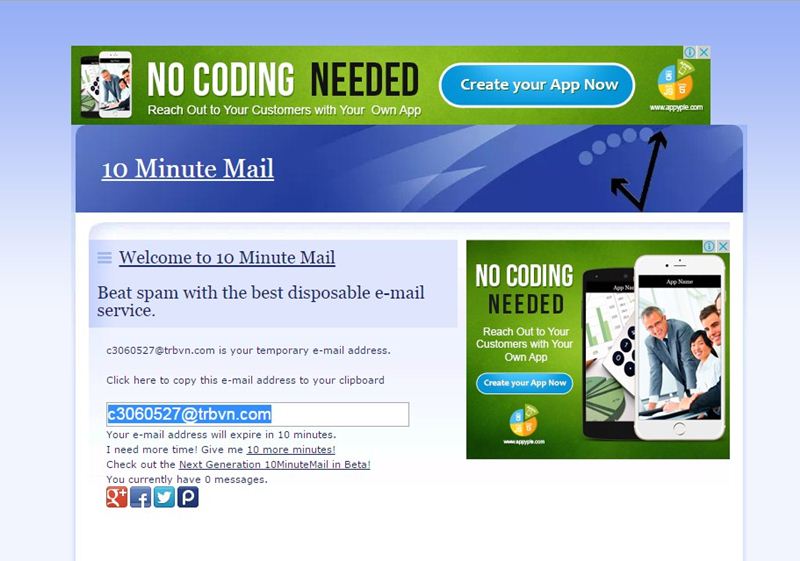
#1 10 Minute Mail

10 Minute Mail
10 Minute Mail
10 Minute Mail will provide you a temporary e-mail address. Any e-mails sent to that address will show automatically on the web page. You can read them, click on links, and even reply to them. The email address will expire after 10 minutes.

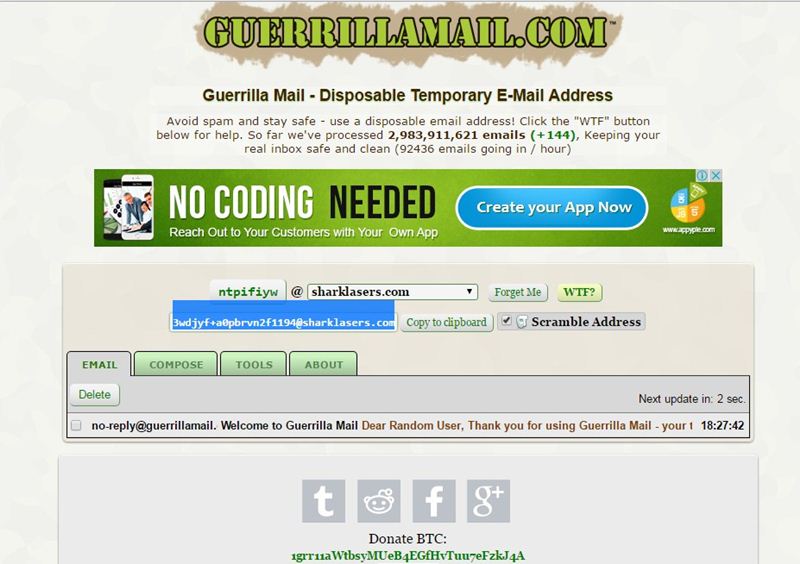
#2 GuerrillaMail

Guerrillamail
Guerrillamail
It is one of the most user-friendly ones out there, with this, you can get disposable email ID easily. You need to enter the details, and the fake email ID will be generated. Moreover, this also lets you send emails with attachment up to 150MB. You will be provided with a temporary email address which you can use to verify some websites which require the email address.

#3 Mailinator

Mailinator
Mailinator
Mailinator is a free, Public, Email System where you can use any inbox you want. You will be given a Mailinator address which you can use anytime a website asks for an email address. The public emails you will receive will be auto-deleted after few hours of receiving.

#4 MailDrop

MailDrop
MailDrop
Maildrop is a great idea when you want to sign up for a website but you are concerned that they might share your address with advertisers. MailDrop is powered by some of the spam filters created by Heluna, used in order to block almost all spam attempts before they even get to your MailDrop inbox. This works the same way like Mailinator in which you will be given a temporary Email address which you can use to verify sites etc.

#5 AirMail

AirMail
AirMail
AirMail is a free temporary email service, you are given a random email address you can use when registering to new websites or test-driving untrusted services. All emails received by AirMail servers are displayed automatically in your online browser inbox.

Read more


quinta-feira, 4 de junho de 2020

Vlang Binary Debugging

Why vlang? V is a featured, productive, safe and confortable language highly compatible with c, that generates neat binaries with c-speed, the decompilation also seems quite clear as c code.
https://vlang.io/

After open the binary with radare in debug mode "-d" we proceed to do the binary recursive analysis with "aaaa" the more a's the more deep analys.


The function names are modified when the binary is crafted, if we have a function named hello in a module named main we will have the symbol main__hello, but we can locate them quicly thanks to radare's grep done with "~" token in this case applied to the "afl" command which lists all the symbols.


Being in debug mode we can use "d*" commands, for example "db" for breakpointing the function and then "dc" to start or continue execution.


Let's dissasemble the function with "pD" command, it also displays the function variables and arguments as well, note also the xref "call xref from main"


Let's take a look to the function arguments, radare detect's this three 64bits registers used on the function.


Actually the function parameter is rsi that contains a testing html to test the href extraction algorithm.


The string structure is quite simple and it's plenty of implemented methods.


With F8 we can step over the code as we were in ollydbg on linux.


Note the rip marker sliding into the code.


We can recognize the aray creations, and the s.index_after() function used to find substrings since a specific position.


If we take a look de dissasembly we sill see quite a few calls to tos3() functions.
Those functions are involved in string initialization, and implements safety checks.

  • tos(string, len)
  • tos2(byteptr)
  • tos3(charptr)

In this case I have a crash in my V code and I want to know what is crashing, just continue the execution with "dc" and see what poits the rip register.


In visual mode "V" we can see previous instructions to figure out the arguments and state.


We've located the crash on the substring operation which is something like "s2 := s1[a..b]" probably one of the arguments of the substring is out of bounds but luckily the V language has safety checks and is a controlled termination:


Switching the basic block view "space" we can see the execution flow, in this case we know the loops and branches because we have the code but this view also we can see the tos3 parameter "href=" which is useful to locate the position on the code.


When it reach the substr, we can see the parameters with "tab" command.


Looking the implementation the radare parameter calculation is quite exact.


Let's check the param values:


so the indexes are from 0x0e to 0x24 which are inside the buffer, lets continue to next iteration,
if we set a breakpoint and check every iteration, on latest iteration before the crash we have the values 0x2c to 0x70 with overflows the buffer and produces a controlled termination of the v compiled process.


Read more

Learning Web Pentesting With DVWA Part 6: File Inclusion

In this article we are going to go through File Inclusion Vulnerability. Wikipedia defines File Inclusion Vulnerability as: "A file inclusion vulnerability is a type of web vulnerability that is most commonly found to affect web applications that rely on a scripting run time. This issue is caused when an application builds a path to executable code using an attacker-controlled variable in a way that allows the attacker to control which file is executed at run time. A file include vulnerability is distinct from a generic directory traversal attack, in that directory traversal is a way of gaining unauthorized file system access, and a file inclusion vulnerability subverts how an application loads code for execution. Successful exploitation of a file inclusion vulnerability will result in remote code execution on the web server that runs the affected web application."
There are two types of File Inclusion Vulnerabilities, LFI (Local File Inclusion) and RFI (Remote File Inclusion). Offensive Security's Metasploit Unleashed guide describes LFI and RFI as:
"LFI vulnerabilities allow an attacker to read (and sometimes execute) files on the victim machine. This can be very dangerous because if the web server is misconfigured and running with high privileges, the attacker may gain access to sensitive information. If the attacker is able to place code on the web server through other means, then they may be able to execute arbitrary commands.
RFI vulnerabilities are easier to exploit but less common. Instead of accessing a file on the local machine, the attacker is able to execute code hosted on their own machine."
In simpler terms LFI allows us to use the web application's execution engine (say php) to execute local files on the web server and RFI allows us to execute remote files, within the context of the target web server, which can be hosted anywhere remotely (given they can be accessed from the network on which web server is running).
To follow along, click on the File Inclusion navigation link of DVWA, you should see a page like this:
Lets start by doing an LFI attack on the web application.
Looking at the URL of the web application we can see a parameter named page which is used to load different php pages on the website.
http://localhost:9000/vulnerabilities/fi/?page=include.php
Since it is loading different pages we can guess that it is loading local pages from the server and executing them. Lets try to get the famous /etc/passwd file found on every linux, to do that we have to find a way to access it via our LFI. We will start with this:
../etc/passwd
entering the above payload in the page parameter of the URL:
http://localhost:9000/vulnerabilities/fi/?page=../etc/passwd
we get nothing back which means the page does not exist. Lets try to understand what we are trying to accomplish. We are asking for a file named passwd in a directory named etc which is one directory up from our current working directory. The etc directory lies at the root (/) of a linux file system. We tried to guess that we are in a directory (say www) which also lies at the root of the file system, that's why we tried to go up by one directory and then move to the etc directory which contains the passwd file. Our next guess will be that maybe we are two directories deeper, so we modify our payload to be like this:
../../etc/passwd
we get nothing back. We continue to modify our payload thinking we are one more directory deeper.
../../../etc/passwd
no luck again, lets try one more:
../../../../etc/passwd
nop nothing, we keep on going one directory deeper until we get seven directories deep and our payload becomes:
../../../../../../../etc/passwd
which returns the contents of passwd file as seen below:
This just means that we are currently working in a directory which is seven levels deep inside the root (/) directory. It also proves that our LFI is a success. We can also use php filters to get more and more information from the server. For example if we want to get the source code of the web server we can use php wrapper filter for that like this:
php://filter/convert.base64-encode/resource=index.php
We will get a base64 encoded string. Lets copy that base64 encoded string in a file and save it as index.php.b64 (name can be anything) and then decode it like this:
cat index.php.b64 | base64 -d > index.php
We will now be able to read the web application's source code. But you maybe thinking why didn't we simply try to get index.php file without using php filter. The reason is because if we try to get a php file with LFI, the php file will be executed by the php interpreter rather than displayed as a text file. As a workaround we first encode it as base64 which the interpreter won't interpret since it is not php and thus will display the text. Next we will try to get a shell. Before php version 5.2, allow_url_include setting was enabled by default however after version 5.2 it was disabled by default. Since the version of php on which our dvwa app is running on is 5.2+ we cannot use the older methods like input wrapper or RFI to get shell on dvwa unless we change the default settings (which I won't). We will use the file upload functionality to get shell. We will upload a reverse shell using the file upload functionality and then access that uploaded reverse shell via LFI.
Lets upload our reverse shell via File Upload functionality and then set up our netcat listener to listen for a connection coming from the server.
nc -lvnp 9999
Then using our LFI we will execute the uploaded reverse shell by accessing it using this url:
http://localhost:9000/vulnerabilities/fi/?page=../../hackable/uploads/revshell.php
Voila! We have a shell.
To learn more about File Upload Vulnerability and the reverse shell we have used here read Learning Web Pentesting With DVWA Part 5: Using File Upload to Get Shell. Attackers usually chain multiple vulnerabilities to get as much access as they can. This is a simple example of how multiple vulnerabilities (Unrestricted File Upload + LFI) can be used to scale up attacks. If you are interested in learning more about php wrappers then LFI CheetSheet is a good read and if you want to perform these attacks on the dvwa, then you'll have to enable allow_url_include setting by logging in to the dvwa server. That's it for today have fun.
Leave your questions and queries in the comments below.

References:

  1. FILE INCLUSION VULNERABILITIES: https://www.offensive-security.com/metasploit-unleashed/file-inclusion-vulnerabilities/
  2. php://: https://www.php.net/manual/en/wrappers.php.php
  3. LFI Cheat Sheet: https://highon.coffee/blog/lfi-cheat-sheet/
  4. File inclusion vulnerability: https://en.wikipedia.org/wiki/File_inclusion_vulnerability
  5. PHP 5.2.0 Release Announcement: https://www.php.net/releases/5_2_0.php


Read more


  1. Pentestmonkey Cheat Sheet
  2. Pentest Wiki
  3. Hacker Language
  4. Pentest Windows 7
  5. Hacker Wifi Password
  6. Hacking Apps
  7. Pentest Ios
  8. Pentest Practice Sites
  9. Pentest Distro
  10. Pentest Tools Framework
  11. Pentest Vs Ethical Hacking
  12. Pentest Report Generator
  13. Hacking The Art Of Exploitation
  14. Hacking Tools
  15. Pentestmonkey
  16. Hacker Attack

quarta-feira, 3 de junho de 2020

ANDRAX v5R NH-Killer - Penetration Testing On Android


ANDRAX is a Penetration Testing platform developed specifically for Android smartphones, ANDRAX has the ability to run natively on Android so it behaves like a common Linux distribution, But more powerful than a common distribution!

The development of ANDRAX began on 08/09/2016 (DD/MM/YYYY) only for people in Brazil
ANDRAX has been fully redefined and reloaded on 05/10/2018 (DD/MM/YYYY) open to the international public.

ANDRAX enable to all Android device with root access enabled and a good unlocked rom become a weapon for advanced Penetration Testing.

Why is Android so powerful?

Simple, everyone has a smartphone and spends all the time with it! We have the possibility to camouflage easily in the middle of everyone, the processor architecture of most Android smartphones is ARM a modern and robust architecture extremely superior to the rest, With touch screens we can run the tools with great agility and take advantage of the graphical interface of Android, we can get in almost anywhere with our smartphones...

In technical terms, ANDRAX and NetHunter should never be compared, ANDRAX is a penetration testing platform for Android smartphones and NetHunter is just a Debian emulator running with chroot.

Termux is not our enemy, Termux is an application that allows installation of many Linux packages using a Debian environment running natively on Android.
ANDRAX and Termux have a similar development, ANDRAX and Termux share many libs and GNU/Linux resources.

But Termux is not a penetration testing platform, it's software to bring basic tools found in a Debian environment. Penetration tests are not something basic! But advanced techniques that involve advanced tools and a advanced environment to conduct good tests!

So you can install many tools manually in Termux but it would be extremely difficult to optimize and configure them to take 100% of the required potential for penetration testing.

Termux runs without root privileges and this makes it very difficult to use advanced tools. 

ANDRAX promotes the use of more than 900 advanced tools for Hacking, Cracking and Penetration Testing.

Screenshots


More info in official site.


via KitPloit

Related posts


  1. Pentestgeek
  2. Pentest Cheat Sheet
  3. Pentest Smtp
  4. Pentest+ Vs Oscp
  5. Pentest+ Vs Ceh
  6. Pentesting
  7. Pentest Linux
  8. Pentest Smtp
  9. Hacker Code
  10. Pentestmonkey Cheat Sheet
  11. Pentest Nmap
  12. Pentest Windows
  13. Pentest Questions
  14. Hacking Games Online
  15. Hacking Names
  16. Hacking With Python

CEH: System Hacking, Cracking A Password, Understanding The LAN Manager Hash, NetBIOS DoS Attacks


Passwords are the key element of information require to access the system. Similarly, the first step is to access the system is that you should know how to crack the password of the target system. There is a fact that users selects passwords that are easy to guess. Once a password is guessed or cracked, it can be the launching point for escalating privileges, executing applications, hiding files, and covering tracks. If guessing a password fails, then passwords may be cracked manually or with automated tools such as a dictionary or brute-force method.

Cracking a Password

Passwords are stored in the Security Accounts Manager (SAM) file on a Windows system and in a password shadow file on a Linux system.

Manual password cracking involves attempting to log on with different passwords. The hacker follows these steps:
  1. Find a valid user account (such as Administrator or Guest).
  2. Create a list of possible passwords.
  3. Rank the passwords from high to low probability.
  4. Key in each password.
  5. Try again until a successful password is found.
A hacker can also create a script file that tries each password in a list. This is still considered manual cracking, but it's time consuming and not usually effective.

A more efficient way of cracking a password is to gain access to the password file on a system. Most systems hash (one-way encrypt) a password for storage on a system. During the logon process, the password entered by the user is hashed using the same algorithm and then compared to the hashed passwords stored in the file. A hacker can attempt to gain access to the hashing algorithm stored on the server instead of trying to guess or otherwise identify the password. If the hacker is successful, they can decrypt the passwords stored on the server.

Understanding the LAN Manager Hash

Windows 2000 uses NT LAN Manager (NTLM) hashing to secure passwords in transit on the network. Depending on the password, NTLM hashing can be weak and easy to break. For example, let's say that the password is 123456abcdef . When this password is encrypted with the NTLM algorithm, it's first converted to all uppercase: 123456ABCDEF . The password is padded with null (blank) characters to make it 14 characters long: 123456ABCDEF__ . Before the password is encrypted, the 14-character string is split in half: 123456A and
BCDEF__ . Each string is individually encrypted, and the results are concatenated:

123456A = 6BF11E04AFAB197F
BCDEF__ = F1E9FFDCC75575B15

The hash is 6BF11E04AFAB197FF1E9FFDCC75575B15 .

Cracking Windows 2000 Passwords

The SAM file in Windows contains the usernames and hashed passwords. It's located in the Windows\system32\config directory. The file is locked when the operating system is running so that a hacker can't attempt to copy the file while the machine is booted to Windows.

One option for copying the SAM file is to boot to an alternate operating system such as DOS or Linux with a boot CD. Alternately, the file can be copied from the repair directory. If a system administrator uses the RDISK feature of Windows to back up the system, then a compressed copy of the SAM file called SAM._ is created in C:\windows\repair . To expand this file, use the following command at the command prompt:

C:\>expand sam._ sam

After the file is uncompressed, a dictionary, hybrid, or brute-force attack can be run against the SAM file using a tool like L0phtCrack. A similar tool to L0phtcrack is Ophcrack.

Download and install ophcrack from http://ophcrack.sourceforge.net/

Redirecting the SMB Logon to the Attacker

Another way to discover passwords on a network is to redirect the Server Message Block (SMB) logon to an attacker's computer so that the passwords are sent to the hacker. In order to do this, the hacker must sniff the NTLM responses from the authentication server and trick the victim into attempting Windows authentication with the attacker's computer.

A common technique is to send the victim an email message with an embedded link to a fraudulent SMB server. When the link is clicked, the user unwittingly sends their credentials over the network.

SMBRelay

An SMB server that captures usernames and password hashes from incoming
SMB traffic. SMBRelay can also perform man-in-the-middle (MITM) attacks.

SMBRelay2

Similar to SMBRelay but uses NetBIOS names instead of IP addresses to capture usernames and passwords.

pwdump2

A program that extracts the password hashes from a SAM file on a Windows system. The extracted password hashes can then be run through L0phtCrack to break the passwords.

Samdump

Another program that extracts NTLM hashed passwords from a SAM file.

C2MYAZZ

A spyware program that makes Windows clients send their passwords as clear text. It displays usernames and their passwords as users attach to server resources.

NetBIOS DoS Attacks

A NetBIOS denial-of-service (DoS) attack sends a NetBIOS Name Release message to the NetBIOS Name Service on a target Windows systems and forces the system to place its name in conflict so that the name can no longer be used. This essentially blocks the client from participating in the NetBIOS network and creates a network DoS for that system.
  1. Start with a memorable phrase, such as "Maryhadalittlelamb"
  2. Change every other character to uppercase, resulting in "MaRyHaDaLiTtLeLaMb"
  3. Change a to @ and i to 1 to yield "M@RyH@D@L1TtLeL@Mb"
  4. Drop every other pair to result in a secure repeatable password or "M@H@L1LeMb"

Now you have a password that meets all the requirements, yet can be "remade" if necessary. Related news